
Skip to content
Dev License: This installation of WHMCS is running under a Development License and is not authorized to be used for production use. Please report any cases of abuse to abuse@whmcs.com

How do I use phpMyAdmin? Print

  • phpmyadmin, database, mysql
  • 24

phpMyAdmin lets you browse and edit your database tables in your browser.

  1. In the control panel, click Databases.
  2. Under your database, click phpMyAdmin. It opens in a new tab, already signed in.
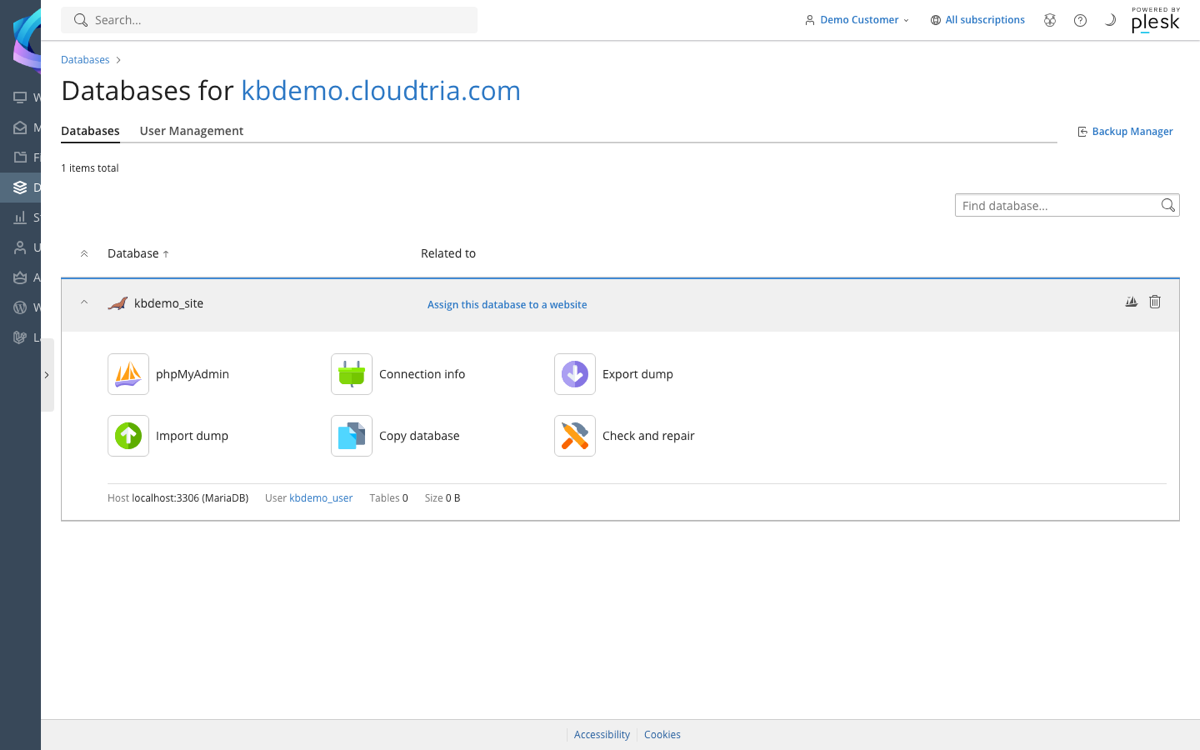
Database tools: phpMyAdmin, Connection Info, Export dump, Import dump

Click a table on the left to see its rows. The SQL tab runs your own queries.

Changes in phpMyAdmin are immediate and cannot be undone. Export the database first.

Was this answer helpful?

« Back

Powered by WHMCompleteSolution